Travel days can feel chaotic—crowds, apps, documents, luggage, delays. But with a few smart systems in place, you can move through all of that like you’re on “stealth mode” while everyone else scrambles. These travel hacks aren’t about extreme minimalism or luxury splurges; they’re about practical, repeatable habits you can use on almost any trip.
Below are five field-tested strategies that help you plan better, move faster, and stress less—without needing to be a “travel expert.”
Turn Your Calendar Into a Travel Control Center
Most travelers treat their calendar like an afterthought: just flight times and maybe a hotel check-in. Instead, use it as your trip’s control center.
Block your door-to-door time, not just flight hours. Add getting-to-airport time, check-in/security buffer, and transfer time from arrival airport to your stay. This makes your days more realistic and stops you from overbooking activities on travel days.
In each calendar event (flight, train, tour, hotel), paste:
- Confirmation number
- Booking email or URL
- Terminal/gate info (if known)
- Hotel address in the local language (copy from their website)
- Local contact number
Then download your calendar for offline use or enable offline access in your calendar app. If your email or apps fail, your calendar becomes your backup brain—with all key info in one tap.
Bonus move: Create a separate “Travel” calendar so you can quickly toggle your trip on/off in your view and avoid clutter.
Build a “Digital Travel Folder” Before You Leave
Instead of hunting through email for that one confirmation while a check-in agent stares at you, build a simple digital structure that works both online and offline.
On your phone and/or cloud storage, create a folder named:
Destination + Year (e.g., “Japan 2026”) and inside it, add:
- “Docs – Offline”:
- Passport photo (front page)
- Visa or entry approvals (if applicable)
- PDF of flight, hotel, and major transport tickets
- Travel insurance policy summary page
- “Money + Cards”:
- Phone screenshots of your primary cards’ front (but mask CVV)
- Bank’s international support phone numbers
- Notes on foreign transaction fees and ATM instructions
- “Local Essentials”:
- Offline map download instructions
- Key phrases in the local language (saved as a simple note)
- Screenshot of your hotel location on a map with a pin
Use your cloud drive (Google Drive, iCloud, OneDrive, Dropbox) plus download critical items into your phone’s local storage or Files app. That way, you still have what you need if you lose signal, can’t access email, or your travel app crashes.
Use “Dual Storage” Packing for Everyday Essentials
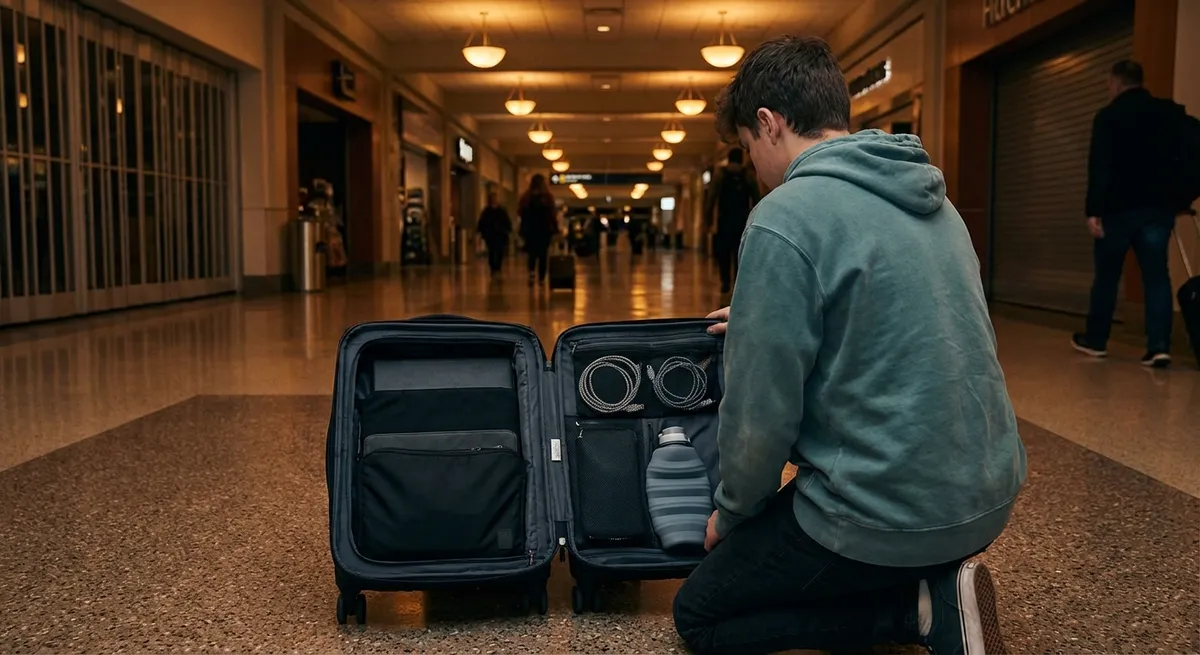
Lost bag, spilled coffee, unexpected overnight delay—these feel like disasters only if all your essentials live in one place. Dual storage means you intentionally split your most important items between your main bag and your personal item.
Here’s how to set it up:
In your personal item, always keep:
- A full change of clothes (lightweight and neutral)
- 1–2 days of medications and basic toiletries (travel sizes)
- Charging kit: universal adapter, phone charger, small power bank
- Sleep kit: eye mask, earplugs, or noise-cancelling earbuds
- Small zip bag with: pen, lip balm, tissues, hand sanitizer, a few snacks
- Extra outfits and shoes
- Full toiletry kit
- Extra power cables or backup adapter
- Bulky or nonessential items (jackets, extra gear)
In your checked bag or larger backpack, keep backups:
The goal: if your main bag disappears or your trip suddenly shifts (overnight layover, missed connection, weather issue), you can still function comfortably for 24–48 hours using just your personal item. That alone turns many “trip disasters” into minor inconveniences.
Train Your Phone to Be a Travel Swiss Army Knife
Your phone can quietly remove a ton of friction—if you prep it before you go. Think of this as a “pre-trip training session” for your device.
Do these before departure:
- Download offline maps in Google Maps or Apple Maps for your destination, including your arrival airport and hotel area. Offline maps still show your GPS location, even without data.
- Add your boarding passes, train tickets, and event passes to a wallet app where possible (Apple Wallet, Google Wallet). This speeds you through checkpoints and works offline in most cases.
Install and set up key apps in advance:
- Local public transport app (for metro/bus routes and payment, where available) - Translation app with offline language packs (e.g., Google Translate’s offline mode) - The airline’s app + accommodation app for easier rebooking and messaging
Save important addresses and phrases as pinned notes:
- Hotel address in local language - “I need a taxi to this address” - “I have a food allergy to…” or “I’m vegetarian” translated into the local language
Finally, turn on automatic camera upload to a secure cloud service (or periodically back up) so your photos are safer if your phone is lost or damaged mid-trip.
Use Micro-Routines to Beat Jet Lag and Travel Fatigue
You don’t need complicated biohacks to feel human on the road—just a few simple routines you repeat on every trip to help your body and brain adapt.
Before and during your flight:
- Start adjusting sleep and meal times 1–2 days before long-haul flights toward your destination’s time zone (even by 1–2 hours).
- On the plane, align meals and naps to your destination time, not departure time, once you’re airborne and settled.
- Drink water steadily and limit caffeine and alcohol, especially in the hours before your planned “destination bedtime.”
- Get natural light exposure outdoors as soon as you can, especially in the morning at your destination. Light helps reset your internal clock.
- For late arrivals, keep it simple: short walk, light snack, shower, and no heavy screen use in bed.
- Keep your first real activity day slightly lighter than you think you can handle; give yourself margin to adapt.
On arrival:
This combination of light, timing, and realistic planning cuts down the “day-one zombie” feeling and helps you enjoy your trip sooner.
Conclusion
Smooth travel isn’t about perfection; it’s about putting a few smart systems in place so that when plans change—and they will—you’re ready. Turn your calendar into your command center, build a digital travel folder, split your essentials across bags, train your phone before takeoff, and support your body with simple routines.
Stacked together, these hacks turn chaotic trips into calm, confident journeys—and once you’ve tried them on one trip, they’re easy to repeat on every adventure.
Sources
- U.S. Department of State – Travel.State.Gov - Official U.S. government guidance on international travel, documentation, and safety tips
- Transportation Security Administration (TSA) – What Can I Bring? - Up-to-date rules on what you can pack in carry-on and checked baggage
- Centers for Disease Control and Prevention – Traveler’s Health - Health recommendations, destination-specific advisories, and vaccination info
- Mayo Clinic – Jet Lag Disorder - Evidence-based explanation of jet lag and strategies to reduce its impact
- Google Maps Help – Download Offline Maps - Official instructions for setting up offline maps before you travel
Key Takeaway
The most important thing to remember from this article is that this information can change how you think about Travel Hacks.